Your Clients Can Now Book an Appointment Just by Talking — Here’s How AI Voice Booking Changes Everything
 7438
7438 0
0 
This post is also available in:


Estimated reading time: 9 minutes
Imagine this: It’s 9pm. One of your clients is lying on the couch, phone in hand, half-watching TV. They need to book an appointment with you — but the last thing they want to do is open a browser, navigate a booking page, scroll through dates, tap through dropdowns, and type in their details.
So they don’t. They put their phone down. And tomorrow, they forget.
Sound familiar? Every day, businesses lose bookings not because clients aren’t interested — but because the friction of booking is just a little too high. That small moment of “ugh, I’ll do it later” costs you time, revenue, and repeat clients.
SimplyBook.me’s new AI Voice Booking feature eliminates that friction entirely. Your clients can now book an appointment by simply speaking — or typing a message — to an intelligent AI assistant, available directly on your booking website, your own website, WhatsApp, or Facebook Messenger.
No menus to navigate. No forms to fill. Just a natural conversation, and the booking is done.
Let’s break down exactly what this feature is, how your clients use it, and why it’s one of the biggest upgrades you can make to your booking experience right now.
What Is AI Voice Booking?
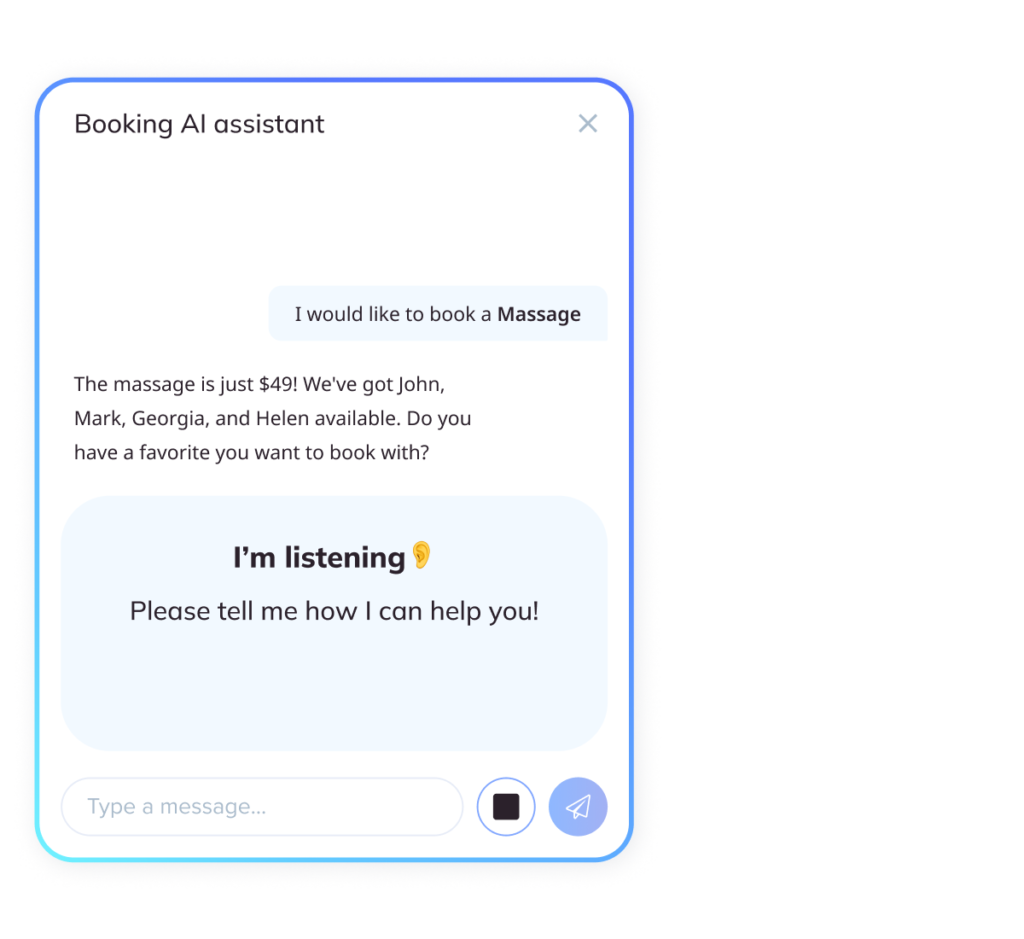
AI Voice Booking is an intelligent conversational assistant built directly into SimplyBook.me. It uses AI to understand what your client wants, ask the right follow-up questions, check your real-time availability, and confirm a booking — all through natural voice or text conversation.
Think of it as a 24/7 receptionist who never takes a break, never misses a booking request, and never makes a scheduling error.
Your clients can interact with it by speaking (voice messages) or typing (text chat), and the AI handles everything: collecting their details, verifying their email, checking available slots, and creating the reservation automatically.
Where Can Clients Use It?
The AI booking assistant works across multiple channels, so you can meet your clients wherever they already are:
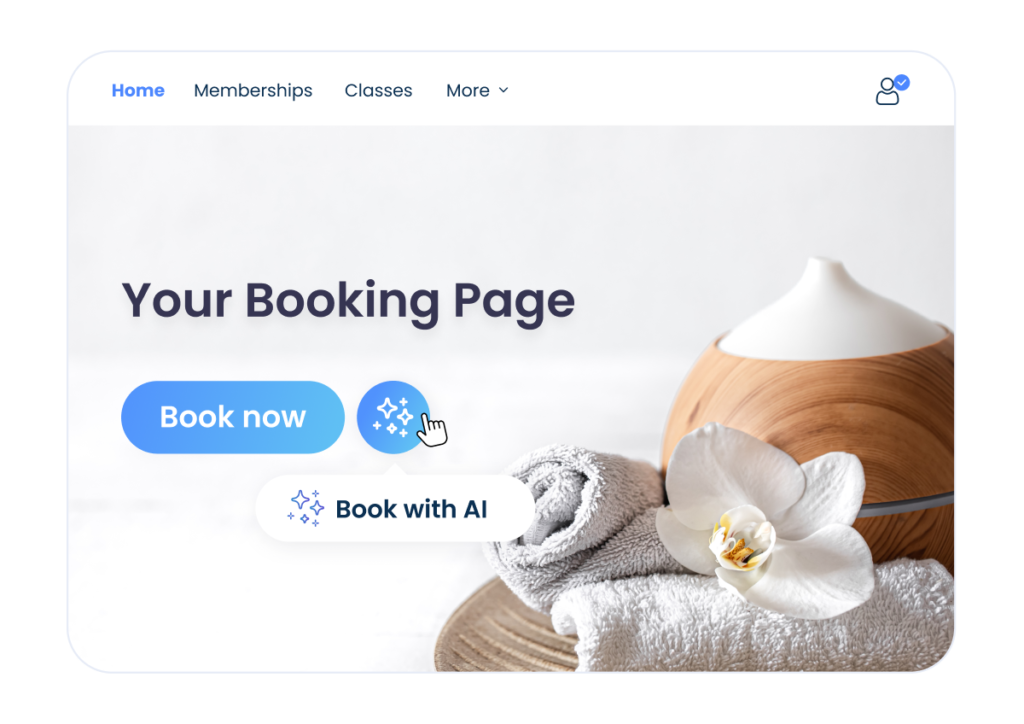
- Your SimplyBook.me booking website — the widget is added automatically once you enable the feature
- Your own website — embed the widget with a simple copy-paste code snippet
- WhatsApp — clients message your business WhatsApp number and the AI books for them
- Facebook Messenger — clients message your Facebook page and get booked instantly
This multi-channel availability is a game changer. It means your booking assistant is always on — whether a client finds you on Google at midnight, messages you on WhatsApp during their lunch break, or visits your website on a Saturday morning.
How Does a Client Actually Use It? A Step-by-Step Experience
The beauty of AI Voice Booking is how effortless it is for your clients. Here’s what a typical interaction looks like:
Step 1: The client opens the chat widget on your website (or messages you on WhatsApp/Messenger)
A small, branded chat widget appears on your booking page. The AI greets them warmly and asks what they’d like to book.
Step 2: The client speaks or types their request
Instead of clicking through menus, they simply say (or type) something like: “I’d like to book a haircut for next Tuesday afternoon” or “Can I get a massage appointment this week?”
The AI understands the intent immediately — the service they want, a rough time preference, and anything else they’ve mentioned.
Step 3: The AI asks any needed follow-up questions
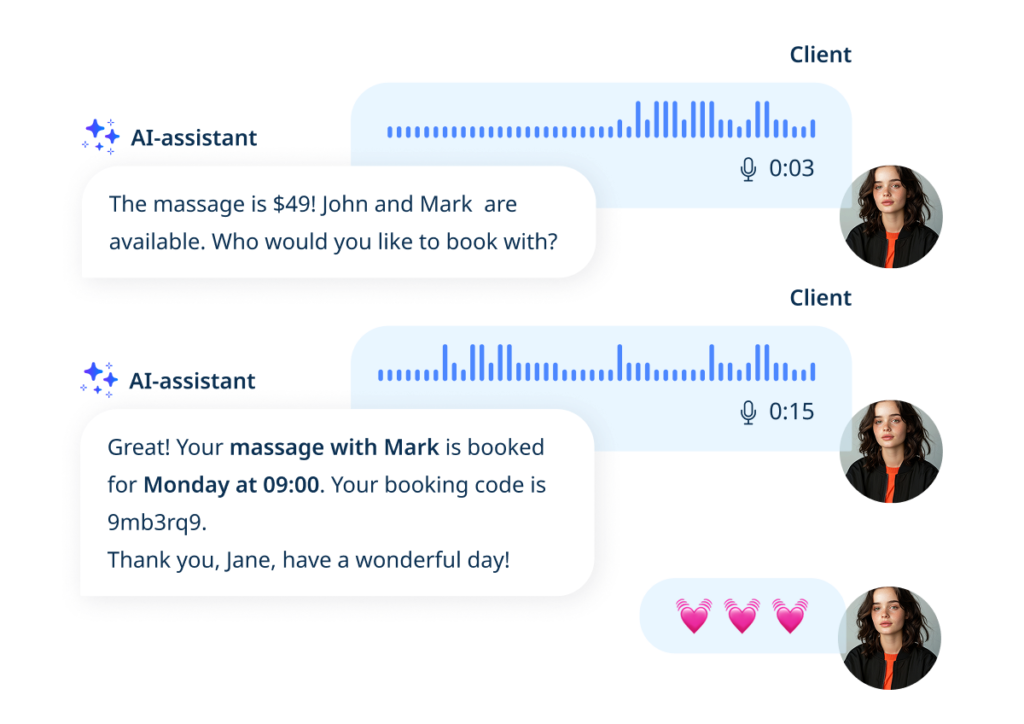
If there are multiple service options, providers, or time slots that match, the AI naturally asks for clarification — just like a real receptionist would. It checks your live availability in real time and presents suitable options.
Step 4: The client confirms, and the booking is made
Once the client confirms the slot, the AI collects their contact details, verifies their email, and creates the booking in your SimplyBook.me calendar automatically. A confirmation is sent — and that’s it. Done. In under two minutes, with no manual input from you.
The whole experience feels less like filling out a form and more like texting a friend who happens to run your favourite salon.
Why This Matters: The Real Benefits for Your Business
Faster Bookings Mean More Bookings
Research consistently shows that the more steps between a customer’s intent and their action, the more drop-off occurs. AI Voice Booking compresses the entire booking journey into a single, flowing conversation. Clients who might have abandoned a traditional form are far more likely to complete a voice or chat-based booking — because it feels instant and effortless.
24/7 Availability Without Hiring Staff
Your AI assistant works around the clock. Whether a client wants to book at 6am before work or 11pm after dinner, the AI is there to take the booking. No missed enquiries. No “we’re closed, please call back tomorrow.” Just seamless booking, any time.
Meets Clients Where They Already Are
Your clients live on WhatsApp. They scroll Facebook. They’re not necessarily going to seek out your booking page — but if you can reach them through the channels they already use every day, booking becomes a natural extension of their existing behaviour. AI Voice Booking integrates with WhatsApp and Facebook Messenger so clients never have to leave the apps they’re already in.
Zero Learning Curve for Clients
There’s no app to download, no account to create, no interface to learn. Clients just talk — or type — the way they naturally would. The AI handles all the complexity behind the scenes. This makes it especially powerful for clients who might be less tech-savvy and find traditional online booking a little overwhelming.
Automatic Confirmations and Reminders
Once the AI creates the booking, your standard SimplyBook.me confirmation and reminder workflows kick in automatically. Clients get their confirmation, and you get a fully synced calendar — with zero extra work on your end.
Full Visibility in Your Reports
Every AI booking session is logged in your SimplyBook.me reports under Reports → AI Booking. You can see full chat transcripts, track how many credits are being used, and review session details alongside the resulting bookings. This gives you clear insight into how your clients are using the feature and how it’s impacting your business.
Who Is AI Voice Booking Perfect For?
This feature adds enormous value to virtually any service business, but it’s particularly powerful for:
- Salons and spas — clients book haircuts, treatments, and beauty services with a quick voice message
- Fitness studios and personal trainers — clients schedule sessions, classes, and assessments through WhatsApp
- Healthcare and wellness practitioners — clients book consultations without navigating complex forms
- Tattoo and piercing studios — clients who found you on social media can book directly in Messenger
- Any business with a high volume of repeat clients — when booking is this easy, clients come back more often
How to Enable AI Voice Booking for Your SimplyBook.me Account
Getting your AI Voice Booking set up is straightforward. Here’s the quick overview:
- Enable the feature
Go to Custom Features → Search “AI Voice Booking” → AI Voice Booking in your SimplyBook.me dashboard
- Get credits
You’ll receive free trial credits to start with. Additional credits can be purchased in Plans & Prices → Additional Items
- Configure your assistant
Choose the AI voice style, model preferences, and email verification settings
- Choose your channels
Activate the web widget for your booking page and/or your own website, and connect WhatsApp or Facebook Messenger if you want to reach clients on those platforms
- That’s it
Your AI booking assistant is live and ready to take bookings
The widget appears automatically on your SimplyBook.me booking page. For your own website, you simply copy and paste a generated code snippet. WhatsApp and Messenger integrations connect via Facebook’s developer platform — step-by-step instructions are available in the SimplyBook.me Help Centre.
See It in Action — Try the Live Demo
Wondering what the experience actually feels like for your clients? We’ve set up a live demo account so you can try AI Voice Booking for yourself right now — no setup required.
👉 Try the AI Voice Booking Demo Here
Speak to the assistant, type a booking request, and see exactly how your clients will experience it. It takes less than two minutes, and it’s the fastest way to understand why this feature is such a big deal.
The Bottom Line
Booking friction is the silent killer of client retention. Every extra click, every form field, every moment of “I’ll do it later” is a booking that may never happen. AI Voice Booking removes that friction completely — turning the booking process into something as simple and natural as sending a voice note to a friend.
Your clients get a faster, easier, more enjoyable booking experience. You get more bookings, more repeat clients, and a 24/7 booking assistant that never takes a day off.
The future of appointment booking is conversational — and with SimplyBook.me’s AI Voice Booking, you can offer it to your clients today.
👉 Try the Demo and See for Yourself
Have questions about setting up AI Voice Booking? Visit our Help Centre article for full setup instructions, or reach out to our support team — we’re happy to help.
FAQ
AI Voice Booking is an intelligent assistant built into SimplyBook.me that lets your clients book appointments by speaking or typing in a natural conversation — no forms, no menus, no friction. The AI checks your real-time availability, collects the client’s details, and confirms the booking automatically.
Clients simply open the chat widget on your website, or message you on WhatsApp or Facebook Messenger, and tell the AI what they’d like to book. The assistant asks any necessary follow-up questions, checks available slots, and creates the booking in seconds — just like texting a receptionist.
AI Voice Booking works on your SimplyBook.me booking website, your own website (via an embeddable widget), WhatsApp, and Facebook Messenger. Clients can book from whichever channel they prefer.
No. There is nothing to download and no account required. Clients interact through channels they already use — your website, WhatsApp, or Messenger — making the experience completely frictionless.
Yes. The AI assistant works around the clock, taking bookings even when your business is closed. Clients can book late at night, early in the morning, or any time that suits them — and the booking appears in your calendar automatically.

 Previous post


Comments
0 commentsNo comments yet