


This post is also available in:


Let’s be honest: social media is great at creating interest… and weirdly bad at creating appointments.
You post. People like. Someone DMs “price?” Then disappears.
Another asks, “Do you have availability next week?” and you’re replying between clients like it’s a competitive sport.
The fix isn’t “post more.” The fix is building a simple path from scroll to click to book.
And it matters because people are impatient on social media. Sprout Social reports 73% of social users agree they’ll buy from a competitor if a brand doesn’t respond on social.
So how do you accept bookings from social media without living in your inbox?
In this guide, you’ll use SimplyBook.me’s Social Media & Ads feature as your go-to spot to schedule posts, add SmartLinks, launch ads, and check performance, all in the same place you manage bookings.

What’s Stopping Followers From Booking
Most SMBs accidentally run this funnel:
Post to DM, conversation to manual scheduling, to confirmation, to reminder (maybe).
It’s friendly, but it’s also slow, inconsistent, and easy to drop. So what does a stronger funnel look like?
Post (scheduled) to SmartLink (link-in-bio) to booking page to automated confirmation + reminders.
That’s what turns attention into revenue.
Below are a few practical strategies to make that flow work:

Strategy 1: Replace “Link in bio” with a SmartLink that actually converts
A single link is fine until you have:
- multiple services
- multiple staff members
- different promos
- different platforms
SimplyBook.me’s Social Media & Ads feature includes SmartLinks, designed for multiple links-in-bio so you can drive traffic where you want it to go.

Practical SmartLink setup that works:
If you’re using SmartLinks, think of them like a tiny front desk for your social profiles. People usually land on your page with one quick question in mind, so the goal is to guide them smoothly to the next step without overwhelming them. Keep it to 3 to 5 options, and ensure every link either helps them decide or helps them book.
- Can I book right now?” Book Now: Goes straight to your main booking page. For people who are ready and don’t want to DM.
- What do most people choose?” Most Popular Service: Removes decision stress. If they’re unsure what to pick, they’ll go with what’s proven.
- Is there an easy first step? New Client Offer Perfect for hesitant buyers. A small promo, intro session, or first-time discount lowers the risk and gets them in the door.
- I have questions before I book.” FAQ / Pricing / What to Expect: It reduces unknowns like price, time, prep, results, and cancellation policy, so they feel confident enough to book.
- Where are you? How does this work? Location/Directions: Local business? Add map, directions, parking notes. If you work online, explain how your virtual sessions work instead.
Strategy 2: Batch your content and schedule it (so you’re consistent without “daily posting”)
Truth is, consistency is where most SMBs fall apart, not because they’re lazy, simply because they’re busy.
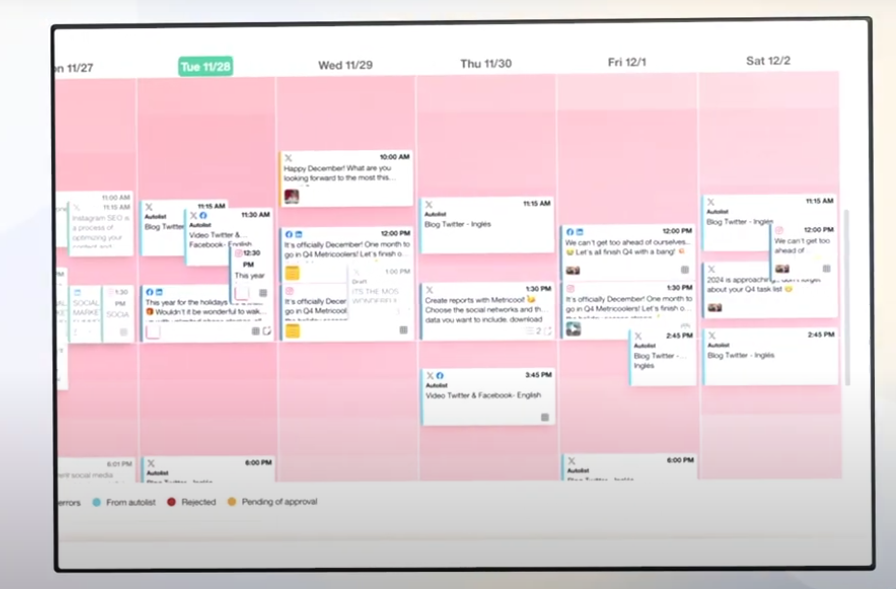
SimplyBook.me’s Social Media & Ads tool lets you plan and schedule posts across multiple platforms from one place.
What to post each week: A simple plan anyone can follow:
- 2 posts that show proof you’re good at what you do. Example: a before/after, a short customer story, or a review screenshot.
- 1 post that explains what happens when someone books. Example: how the appointment works, how long it takes, what to bring, what results to expect.
- 1 post that gives a clear reason to book now. Example: “2 spots left this week,” “Now taking new clients,” or a limited-time offer.
- 1 post that shows the human side of your business. Example: behind-the-scenes, your workspace, your process, or a quick intro from you.
At the end of every post, tell them one simple thing to do: Want an appointment? Tap the link in my bio to book.
And basically that’s it. They tap the link in bio, see your availability, and book. From there, one tap gets them straight to booking without any back-and-forth or extra clicks.
Strategy 3: Use ads to save time (and get bookings faster)
Organic reach is unpredictable. Some days your post gets seen, while other days it disappears. Ads are how you make sure the right people actually see it.
With SimplyBook.me’s Social Media & Ads feature, you can set up and manage simple ad campaigns for Google, Facebook, and TikTok right from your SimplyBook.me dashboard.
So instead of bouncing between platforms, you can keep your marketing and your booking flow connected in one place.
And please don’t worry, you don’t need to become an ads expert overnight. You can start with one simple campaign whose only job is to send people to your booking link.

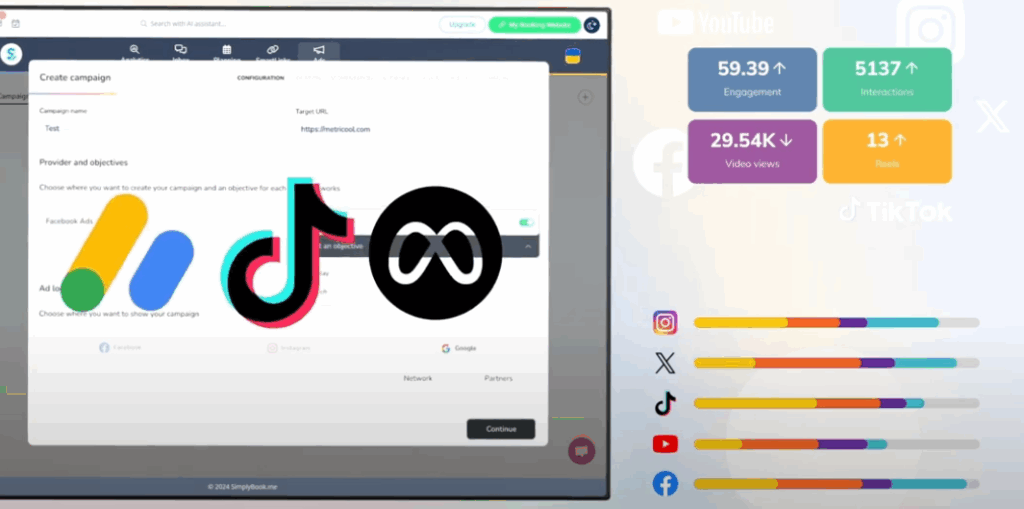
Start with these two ad types:
1) Retargeting ads (this is the “friendly reminder” ad)
This means you show your ad to people who already know you a little bit.
For example, people who:
- clicked your link before
- liked a post
- watched your video
- visited your website
Since they have already shown interest, they’re more likely to book, and these ads typically cost less.
2) Local awareness ads (the “people near you” ad)
If your business has a physical location (such as a salon, clinic, or studio), this ad appears to people in your area.
So, you pick:
- your city or a radius around your location
- one service to promote
This makes sense because you’re not advertising to the whole internet, just to people who can actually come in.
Think of ads like a shortcut: you pay a little so the right people find you faster, and they can book without messaging you first.

Strategy 4: Measure What Works Before You Post More
When you post on social media, you’re really trying to connect the dots between attention and action. In other words, you want to know whether that post (or ad) actually led to bookings, or if it just got a few likes and then vanished.
Tracking is just how you find that answer, instead of guessing.
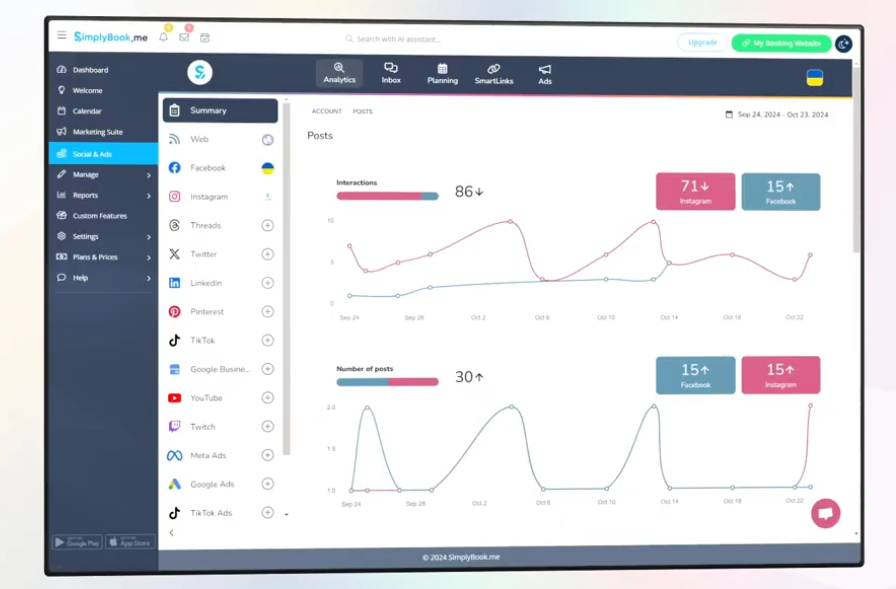
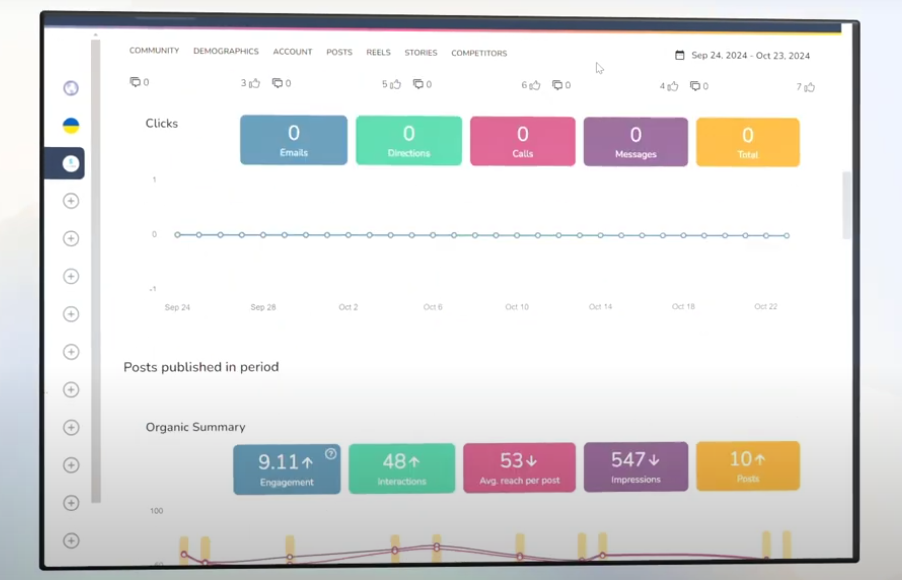
With SimplyBook.me’s Social Media & Ads feature, the tracking part is there to show you what happened after you posted or ran an ad. Using simple numbers, you can check in your dashboard:
The Social Media & Ads feature includes:
- real-time insights/analytics: This shows what’s getting attention right now. Think: which posts people actually saw, clicked, or interacted with.
- downloadable reports (PDF + PPT) for sharing or reviewing monthly: It’s a simple monthly summary you can download and review, helping you see which posts and ads performed best.
- unlimited historical analytics so you can spot trends: This means you can compare over time, not just today or this week. You can spot patterns like “Fridays perform better” or “offers beat behind-the-scenes posts.
This is where growth gets easier: you repeat what works and cut what doesn’t.
Track these three basics:
- which platform drives the most booking clicks
- which post format gets the most engagement and clicks
- which offer/service converts best

Strategy 5: Use an AI assistant for content polish
SimplyBook.me also includes an AI-powered Social Media Assistant inside the Social Media & Ads feature.
It’s like a writing aid that makes posting easier on busy weeks, helping you turn your ideas into polished captions faster, without losing your voice.
The best way to use it is to save time while keeping your message clear. If you already have a caption idea in mind, the assistant can polish it, making it easier to read, more engaging, and still true to your tone.
It can also generate a few variations of the same post, so you can choose what fits best without starting from scratch each time.
Here are a few practical ways SMBs use it:
- Rewrite captions in your brand tone (friendly, professional, playful, whatever fits you).
- Generate headline hooks for one post, so you can choose the one that feels most “you.”
- Turn one review or testimonial into multiple posts (short version, story version, “before/after” version).
- Simplify long text into something people will actually read while scrolling.
- Create quick variations for different platforms (the same message, slightly adjusted).
In short, you bring the personality and real-life experience. The assistant just helps you express it faster and more consistently, so you can spend less time staring at a blank caption box and more time running your business.

Why this matters for SMBs: one dashboard beats ten tabs
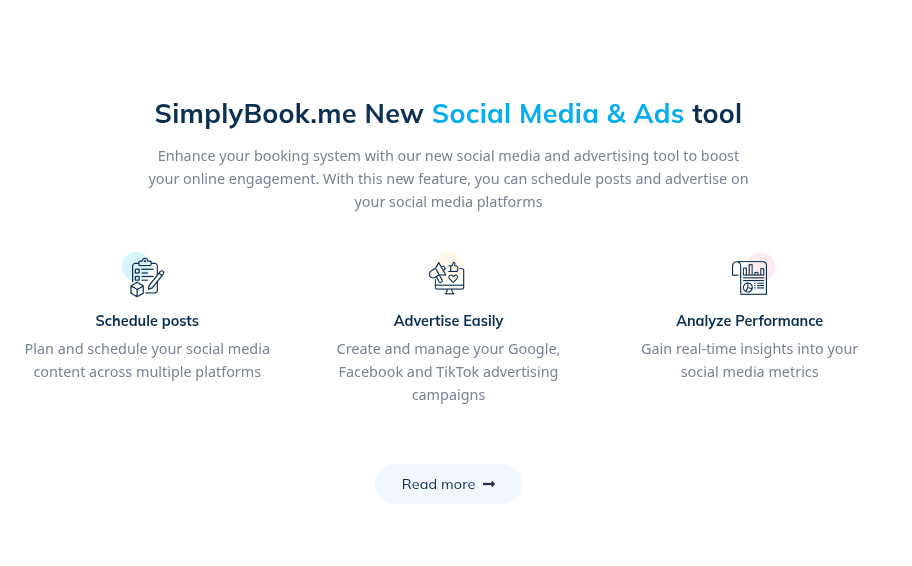
SimplyBook.me offers an all-in-one solution: booking, social scheduling, ads, and analytics in one workflow.
And yes, pricing is pretty straightforward: the Social Media & Ads tool is listed at €10/month, which is genuinely affordable for what you get.
For SMBs, that’s the real win: fewer tools, fewer logins, fewer “where did that lead come from?” moments.

A simple 7-day plan to accept more bookings from social media
Day 1: Set your SmartLink structure (Book Now + top 2 services + offer)
Day 2: Write 5 posts (proof, explainer, offer, behind-the-scenes, FAQ)
Day 3: Schedule the week’s posts across platforms
Day 4: Create 1 retargeting ad (warm audience)
Day 5: Create 1 local/service ad (cold audience)
Day 6: Check analytics: what got clicks vs likes
Day 7: Download a quick report, decide what to repeat next week
If social has been feeling like a lot lately, this is your reset. One SmartLink, a week of scheduled posts, and a couple of simple ads, and you’ve got a real path from “someone saw you” to “someone booked you.” SimplyBook.me is right there for you.
FAQs
It lets you manage your social presence and ad campaigns from inside your SimplyBook.me dashboard, so marketing and scheduling work together. You can plan and schedule posts, run ad campaigns, and send people straight to your booking flow, without juggling extra tools or adding more admin.
A SmartLink-style page works best: include your main booking page plus 2-4 “decision shortcuts” (most popular service, new client offer, contact/FAQ). SimplyBook.me includes SmartLinks specifically for multiple links-in-bio.
Organic builds trust; ads bring predictable traffic. The simplest combo is: schedule consistent organic content, then run small retargeting ads to people who already engaged. SimplyBook.me supports scheduling plus ad campaign management (Google, Facebook, TikTok) in the same tool.
Friction. If someone has to DM you, wait for a reply, and go back and forth to find a time, many won’t bother. Sprout Social reports 73% of social users will buy from a competitor if a brand doesn’t respond on social, so delays cost bookings.
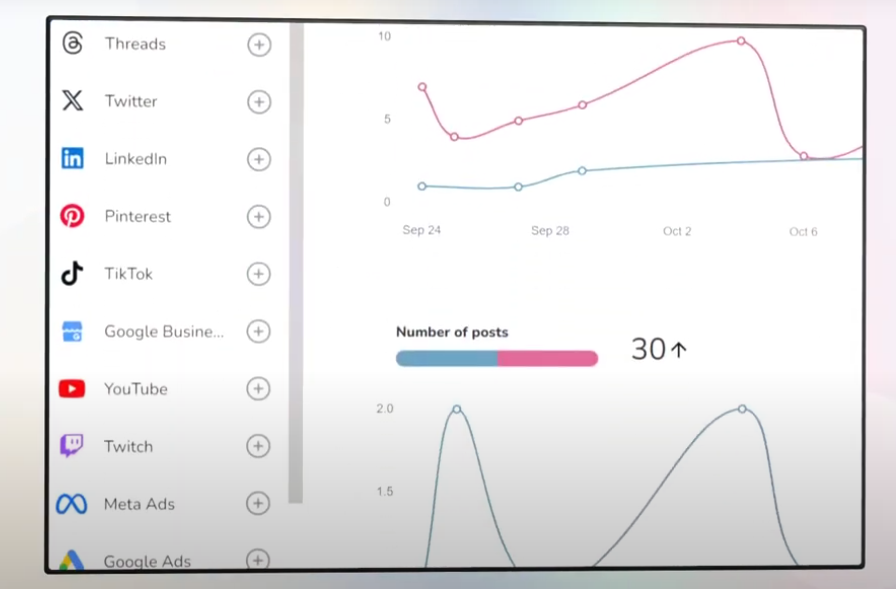
You can manage Facebook, Instagram, Twitter/X, LinkedIn, YouTube, TikTok, Twitch, Threads, Google Business, and Pinterest, managed from one centralized location.